 — docs

Pages
Page Settings
Page settings
The most common settings an editor uses include:
- Page Title:
- The title displayed in menus, browser tabs, and search results.
- Visibility:
- Enable/Disable: Controls whether the page is visible on the website.
- Hide in Menu: Makes the page accessible via URL but hidden from the navigation menu.
- Access Restrictions:
- Start/Stop Time: Define a time range for when the page is publicly visible.
- User Group Access: Limit access to specific frontend user groups.
- SEO Settings:
- Page Title: The main title of the page, which appears in the browser tab and search results.
- Meta Description: A short description used by search engines.
- URL Segment: Customize the URL slug to make it SEO-friendly.
- Navigation and Breadcrumb:
- Alternative Navigation Title: A custom title for navigation menus if different from the page title.
- Exclude from Sitemap: Prevents the page from appearing in the XML sitemap.
- Metadata:
- Keywords: Tags for SEO and content classification (though less commonly used in modern SEO).
- Author Information: Identify the page's author, useful for internal purposes or multi-author sites.
- Backend Layout:
- Select a specific backend layout, helping editors structure the content areas and columns for page editing.
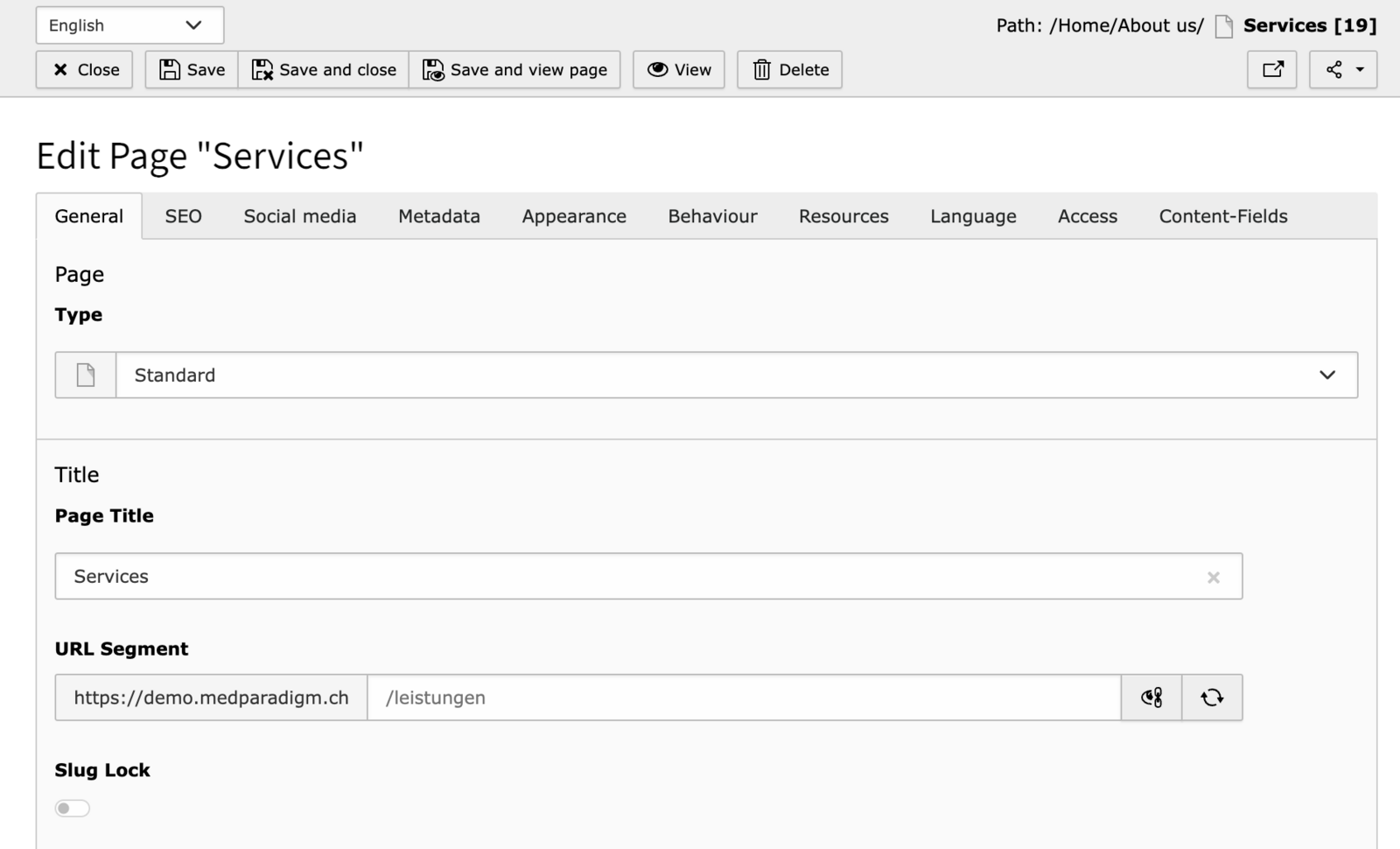
How to edit the page properties
- Open the Page module in the backend.
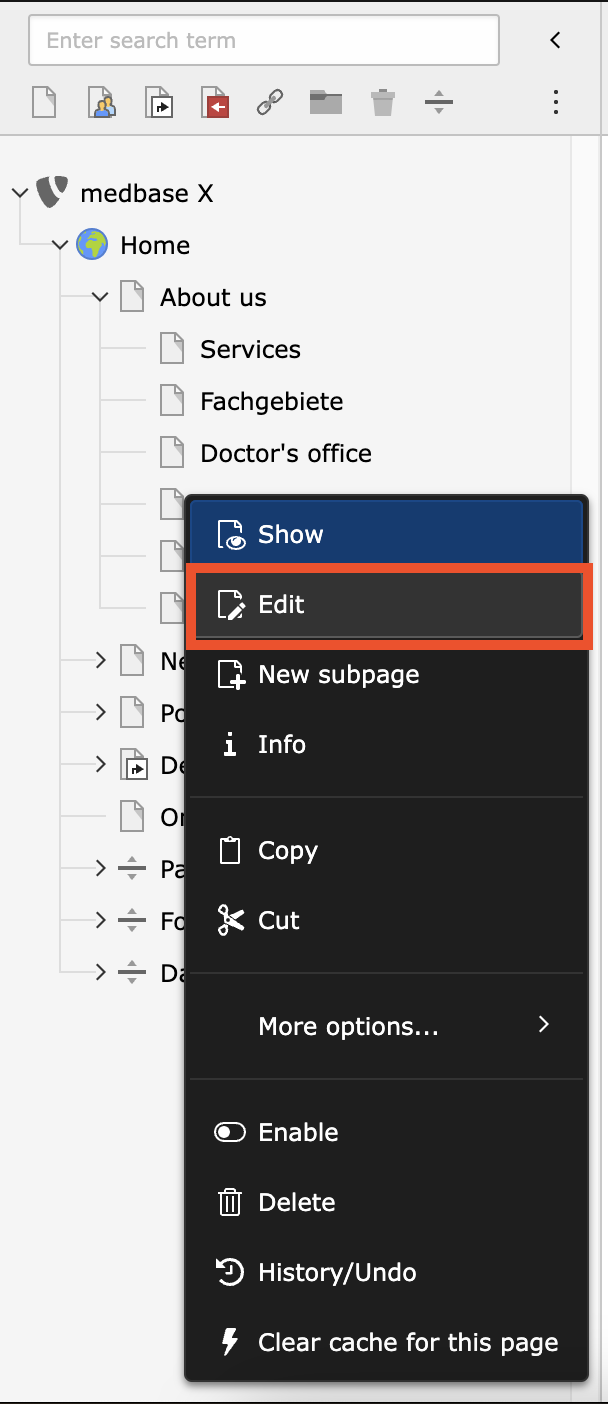
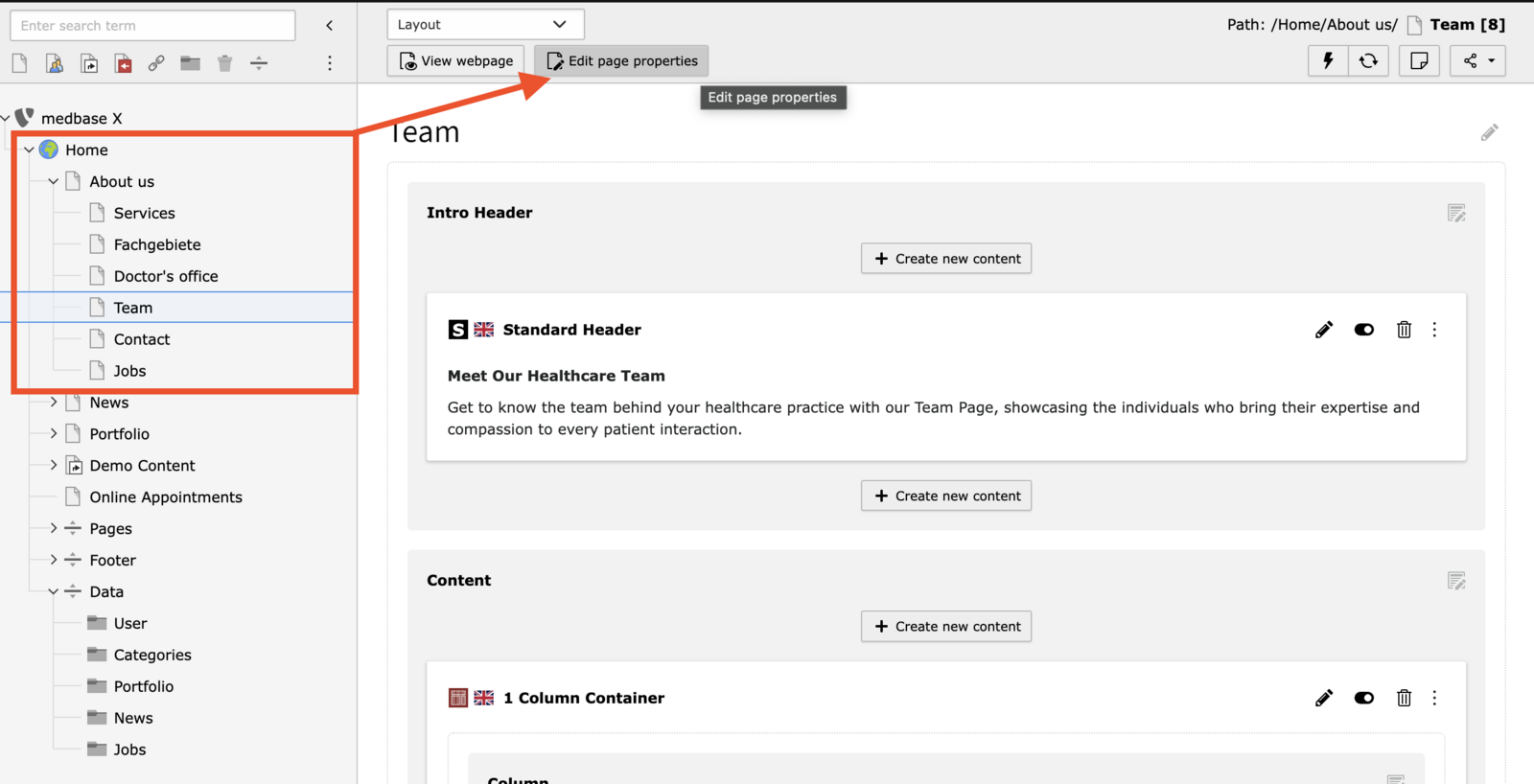
- In the page tree, locate the page you want to edit.
- Right-click on the page and select Edit from the context menu, or simply double-click the page name.
Alternatively, you can click the Edit icon in the panel on the right when the page is selected.
Here's the TYPO3 guide on how to edit page properties:
https://docs.typo3.org/m/typo3/tutorial-editors/main/en-us/Pages/PageProperties/Index.html